
A FortiGate configuration export is a flat text file: thousands of lines of edit / set / next blocks, every port, address and rule referenced by name only. FortiConfig Viewer turns that same file into a structured, cross-linked admin console the moment it loads, then goes further: a rule-by-rule review workflow with exportable compliance reports, built on top of an open-source base.
Reading Raw Configs Doesn't Scale
Finding out what a rule named Allow-Internal-to-DMZ actually allows means holding several sections of a flat config file in your head at once: the rule itself, the address objects it references, the service or service group behind each port, and whichever groups those addresses belong to. Reviewing a whole rule base means doing that dozens of times over, and remembering which rules you already checked is left entirely to the reviewer.
FortiConfig Viewer parses that file into a structured console entirely in the browser. Nothing is uploaded anywhere for a manual load: parsing happens client-side, so a live production config never has to leave the reviewer's machine unless an organisation deliberately turns on shared loading, covered later in this article.
A Real Admin Console, Not a Text Dump
Loading a .conf file replaces the upload screen with a dashboard: summary cards for every major section, interfaces, addresses, policies, VPN tunnels and more, each one clickable straight through to that section. It's a five-second sanity check that the file parsed as expected, and a fast way back to the top level at any point.
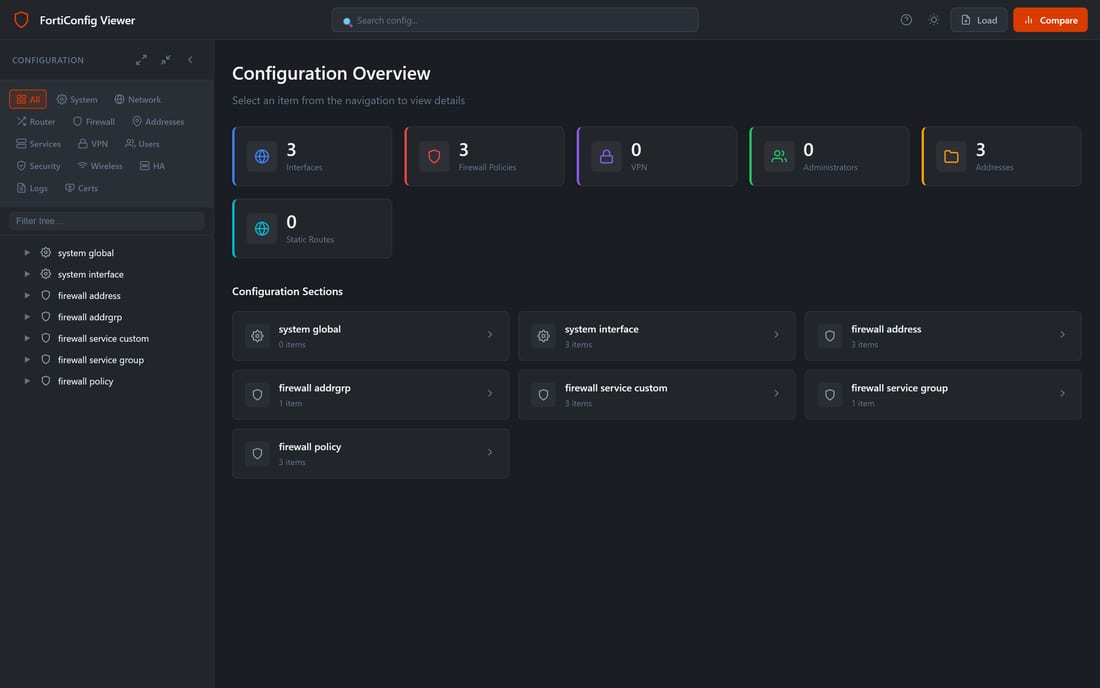
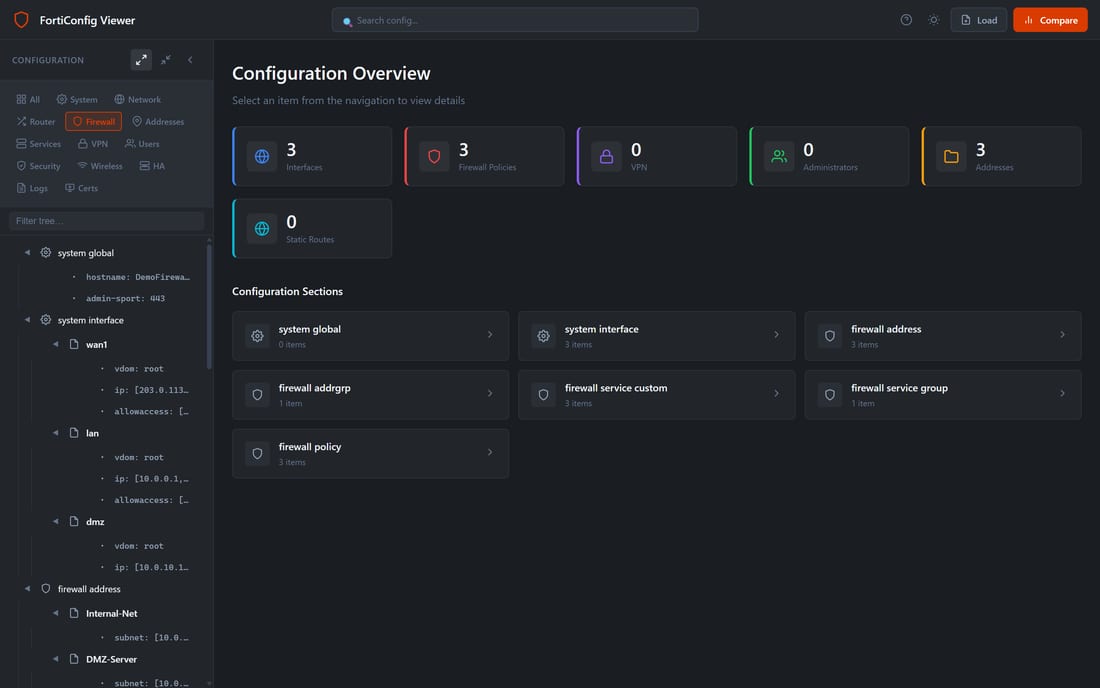
The sidebar carries three layers of navigation at once: category tabs across the top (System, Network, Router, Firewall, Addresses, Services, VPN, Users, Security, Wireless, HA, Logs, Certificates), a text filter that narrows the tree as you type, and the tree itself, expandable branch by branch or all at once.
Every Table Sortable, Filterable, Column-Picked
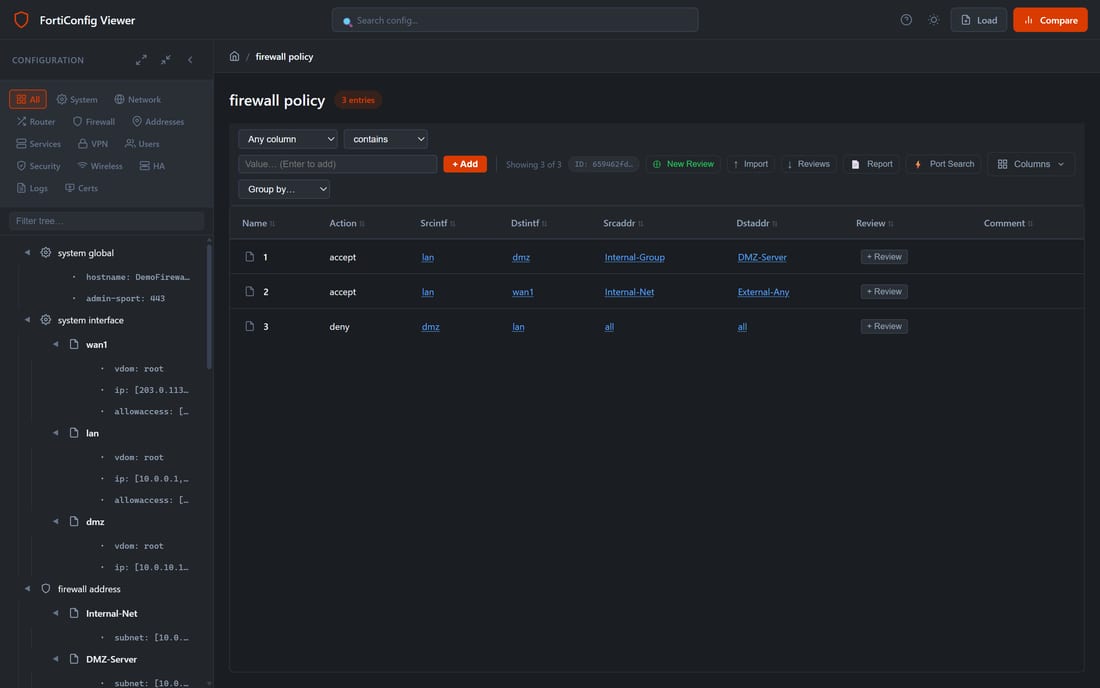
Every section with more than a handful of entries, interfaces, addresses, policies, routes, renders as a table rather than a list. Click a column header to sort, use the filter bar to combine a field, an operator (contains, =, ≠, in) and a value into a removable chip, group rows under whichever column matters for the task, and show, hide or reorder columns from a picker that remembers the choice per section.
Ports and Services, Linked Not Guessed
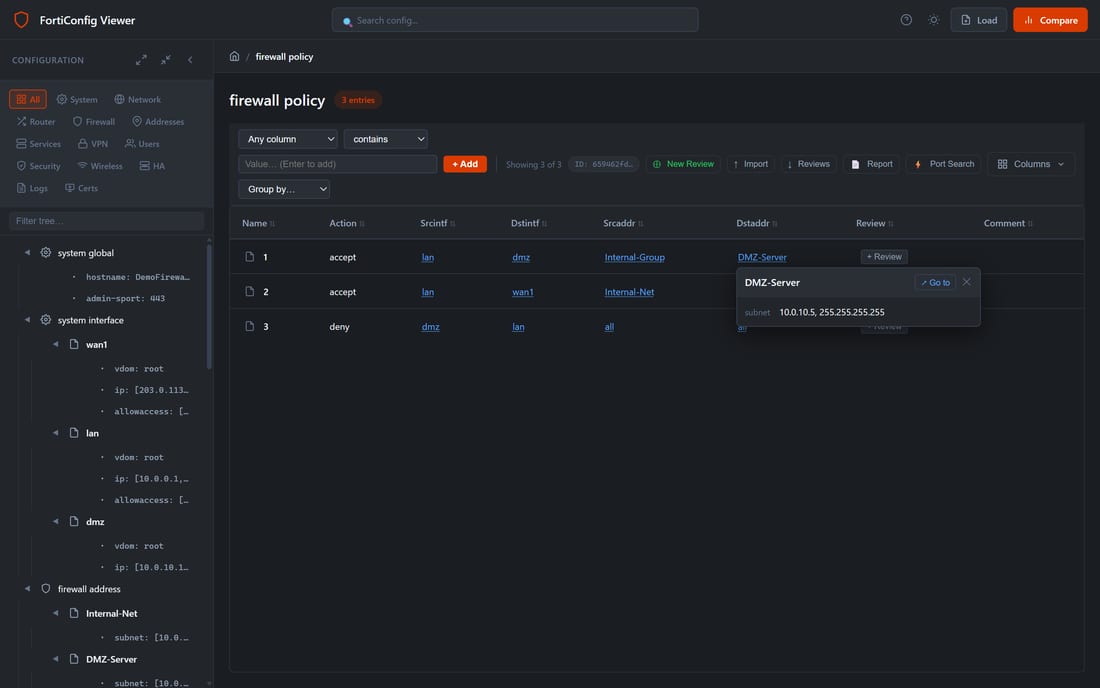
Every address, interface, service and group throughout the app renders as a clickable, colour-coded chip rather than plain text: blue for addresses and interfaces, amber for services, purple for groups. Hover a chip for a quick property preview, or click Go to to jump straight to that entry's own definition, wherever it sits in the config.
Port Search: One Number, Every Rule That Uses It
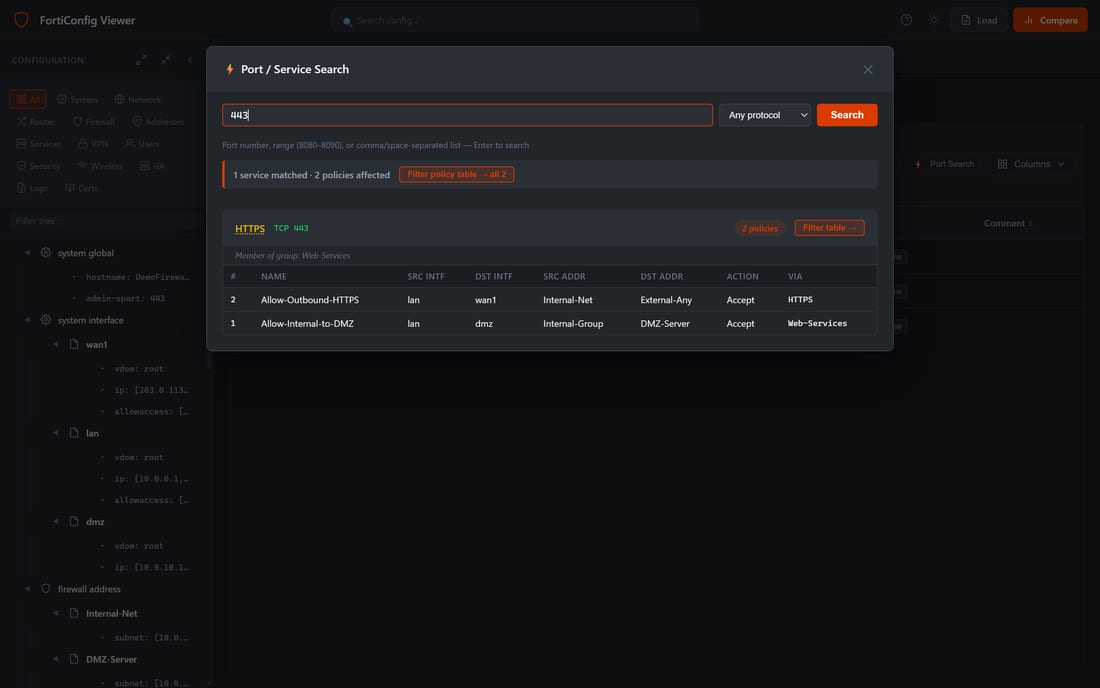
The Port Search modal answers a question a raw config file cannot: what actually uses port 443? Type a port, a range (e.g. 8080-8090), or a comma-separated list, and it searches every custom service and service group, grouping results by the matching service and listing every policy that references it, each with a one-click Filter table straight back into the policy view.
Rule-by-Rule Compliance Review
Firewall Policy is the one section that goes beyond viewing. Every rule row carries a Review status and a + Review button: set the rule to OK, Moderate or Bad / Overly Permissive, optionally leave a comment explaining why, and Save & Next carries the reviewer straight to the next visible row, respecting whatever filter or grouping is already applied. A whole rule base can be worked through in one pass without re-opening a dialog for every line, and the popover can be pinned as a fixed side panel for a long session instead of floating over the table.
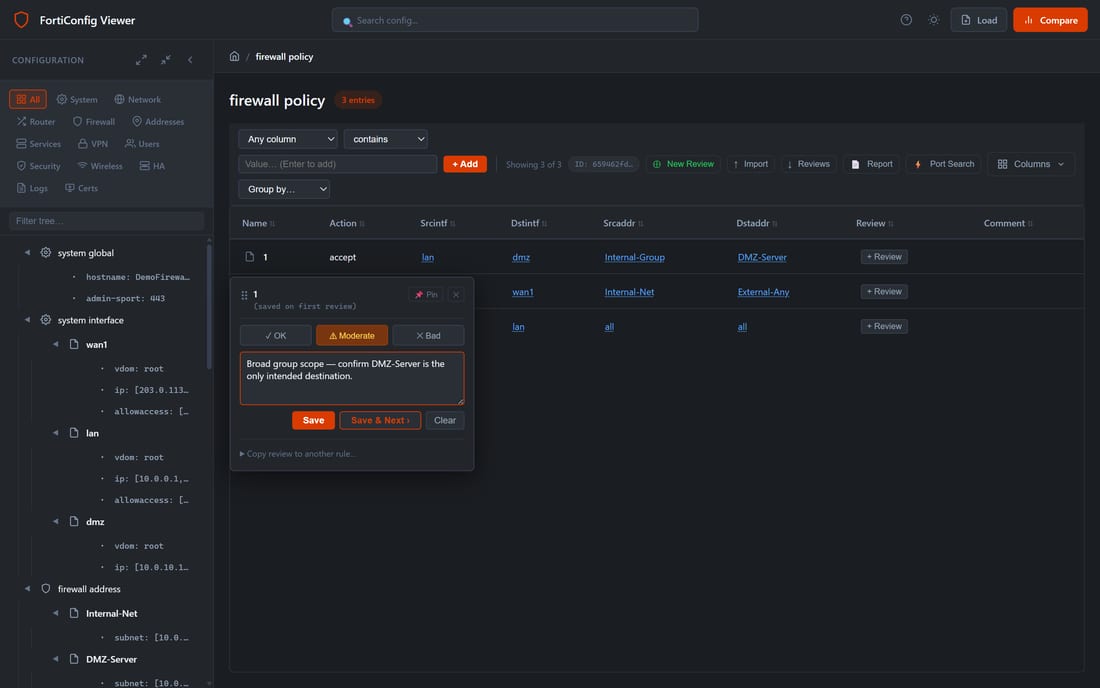
Reviews save to the browser's own storage the instant they're made, and are backed up to the server silently in the background, so a review survives a reload, a different browser, or a different reviewer picking up the same file later. Review identity is tied to the config file's own name: reopening that file at any point automatically reattaches its review history.
Exportable Compliance Reports
Once a rule base has been reviewed, Report generates a Markdown file: every Bad or Moderate rule, plus any OK rule that was given a comment, grouped by status and ready to paste into a change ticket or a compliance pack. Reviews can also be exported and re-imported directly as JSON, for archiving a completed review or handing one reviewer's pass on to another.
Loading Configs: Local File or Shared via S3
The base loading path is entirely local: drag a .conf or .txt file onto the page, or browse for one, and parsing happens in the browser with nothing sent anywhere.
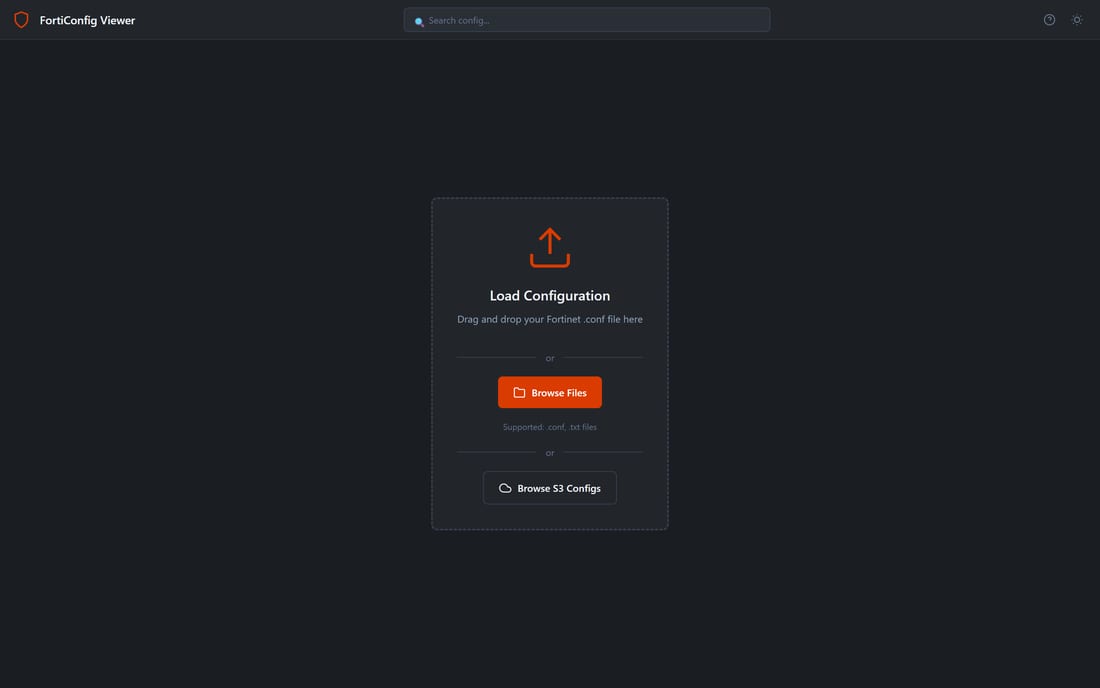
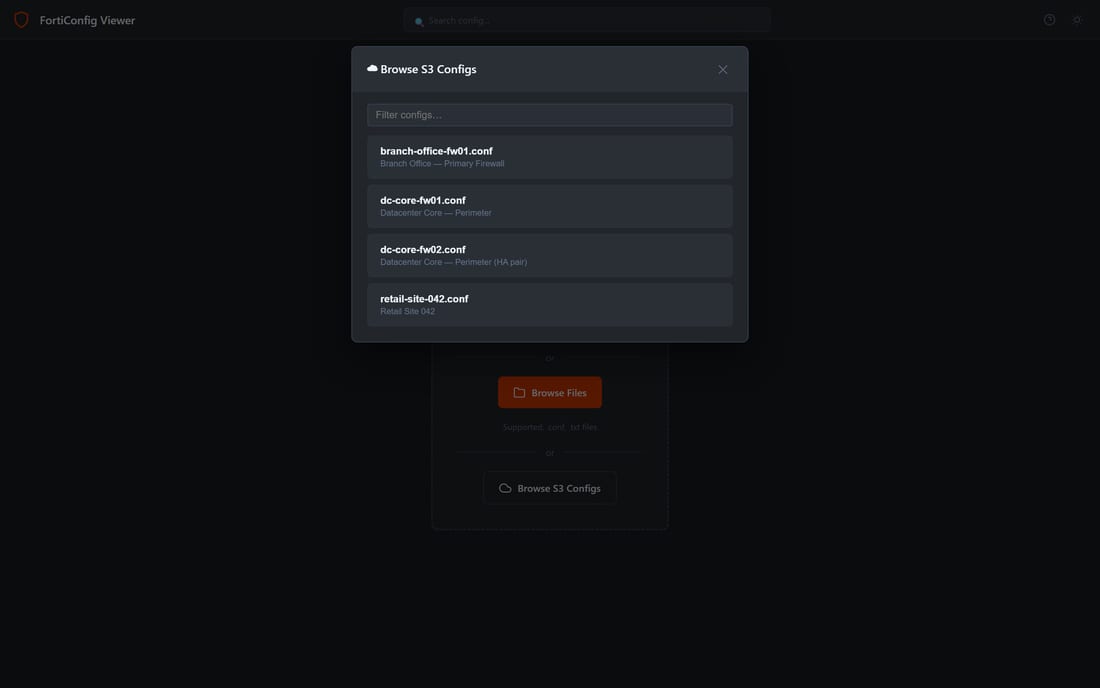
On top of that, this deployment adds a Browse S3 Configs option: a filterable list of configs an organisation has made centrally available, so a reviewer can pick a named firewall's config without needing the file on their own machine at all. Each config is served through a short-lived, permission-checked link that expires after a few minutes; files are never placed anywhere public, and the list and the download link only exist for the duration of that one request.
Built On an Open-Source Base
FortiConfig Viewer started as colbywest5's open-source project (MIT-licensed), and it's worth crediting directly: the tree navigation, table views, column picker, dashboard, side-by-side config comparison and dark/light theme are all inherited from that base.
Added for this deployment: rule-by-rule OK / Moderate / Bad review with comments, Save & Next and pinning; exportable Markdown compliance reports and JSON review import/export; clickable cross-linking between addresses, services, interfaces and groups; Port Search; and S3-backed shared config loading alongside the original's local-only upload.
Why This Matters for Firewall Audits
A firewall rule review is only as good as how easy it is to actually do. Splitting "read the config" from "judge the rule" from "write it down somewhere" is how review notes end up in a separate spreadsheet, disconnected from the rule they're about, and how the same over-permissive rule gets re-flagged by three different reviewers across three different quarters because nobody could see it had already been looked at. Putting the review inside the same view as the rule, tied to the file it came from, with a one-click compliance export at the end, removes most of the reason that process drifts.
- Review lives with the rule, not in a separate document, so status is visible the moment the config reopens.
- Nothing leaves the browser for a manual load, and shared configs are served through short-lived, permission-checked links, never a public location.
- Every port, address and service is a live cross-reference, not a name the reviewer has to go find themselves.